Search Instantly
Thousands of anime titles at your fingertips. Search by name and get results in real time.
 MiruDL v2.3.2
A lightweight, no-fuss Android app for browsing and downloading your favorite anime. Zero ads. No accounts. No tracking.
3,006 total downloads
Found a bug? Report it | Have an idea? Request a feature
Features
Everything you need in a downloader — nothing you don't.
Thousands of anime titles at your fingertips. Search by name and get results in real time.
View every episode with numbers, filler flags, and season grouping. Always up to date.
Tap any episode and choose your quality. The download starts immediately — no sign-up needed.
Queue an entire series at once. Let MiruDL handle the rest while you relax.
Built-in HLS stream downloader with auto-resolution detection. Supports 360p up to 1080p.
Choose between Sub (Japanese) or Dub (English) audio for every available episode.
Adjust download speed from Slow to Very Fast. Fine-tune based on your connection.
Pick exactly where your anime gets saved. Full Android Storage Access Framework support.
Pause, resume, cancel, or retry any download. Full progress tracking with notifications.
Every completed download is saved with metadata. Browse and manage your library.
Built-in theme engine that respects your system preference. Matches Material You.
Clean, modern UI following Material Design 3 guidelines. Smooth animations and gestures.
How It Works
No sign-up. No complicated setup. Just search, choose, and download.
Type any anime name in the search bar. MiruDL queries the source API in real time and shows matching results with posters and titles.
Tap an anime to see all available episodes. Each entry shows episode number, filler status, and available audio languages — Sub or Dub.
Choose your quality (360p–1080p) and tap download. The built-in HLS engine fetches the stream. Track progress, pause, or cancel anytime.
Screenshots
Clean, intuitive, and built for speed. Here's what to expect.
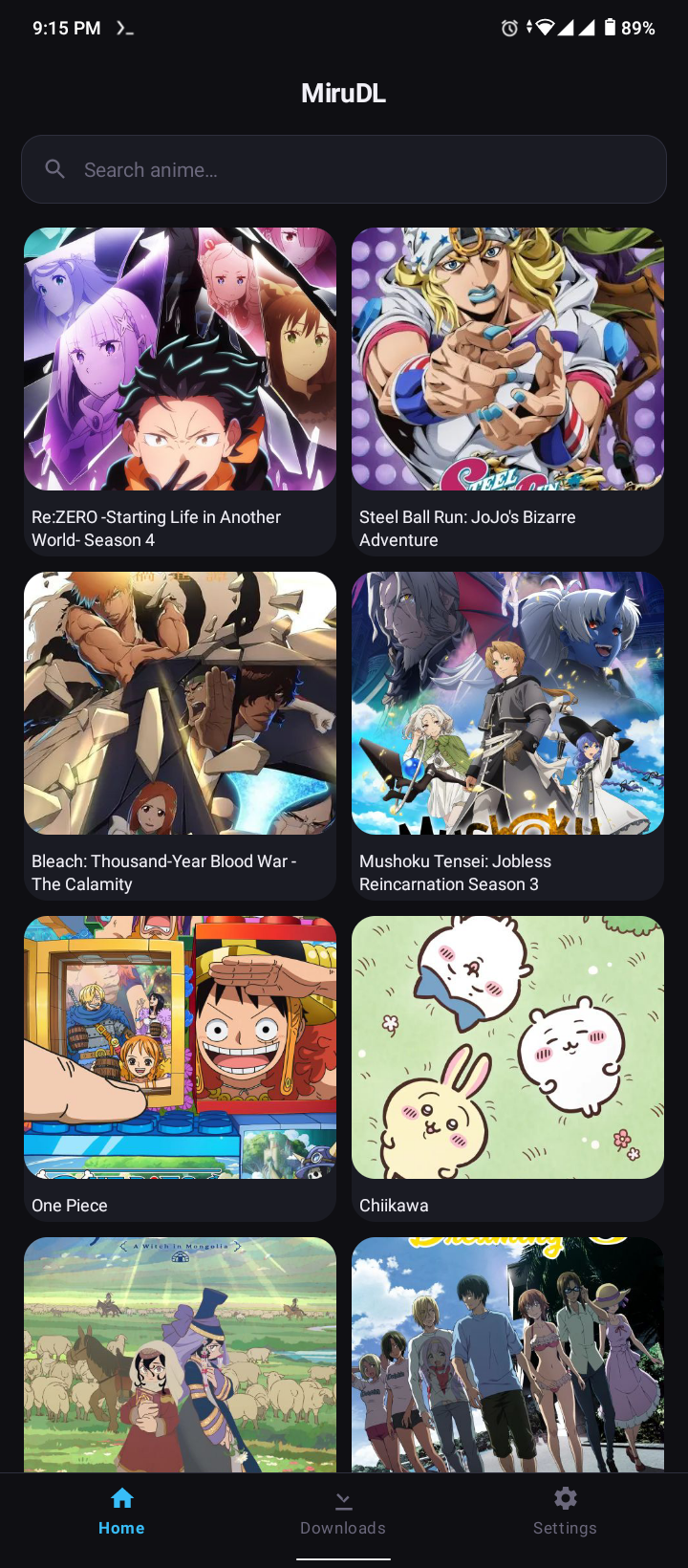
Search and discover anime on the MiruDL home screen
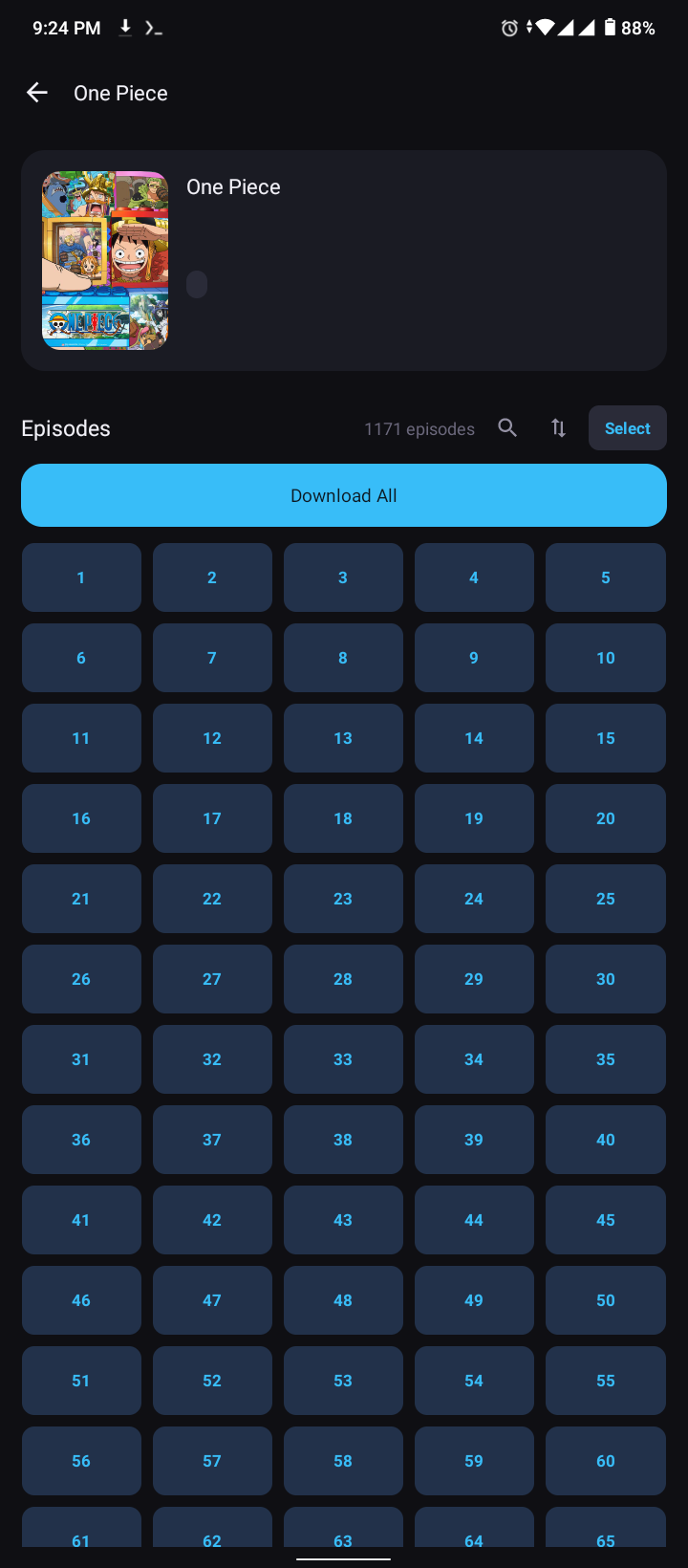
Browse episodes organized by season and number
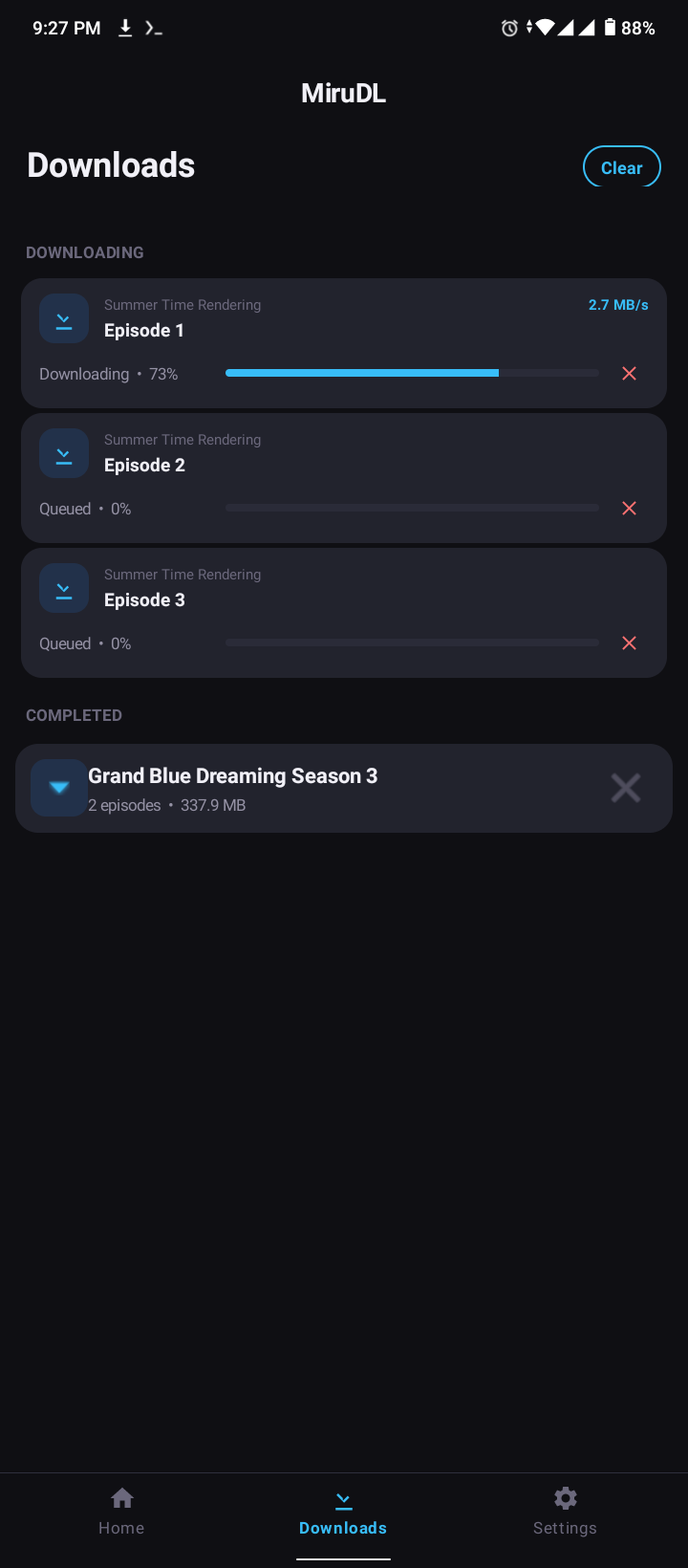
Active and completed downloads with progress tracking
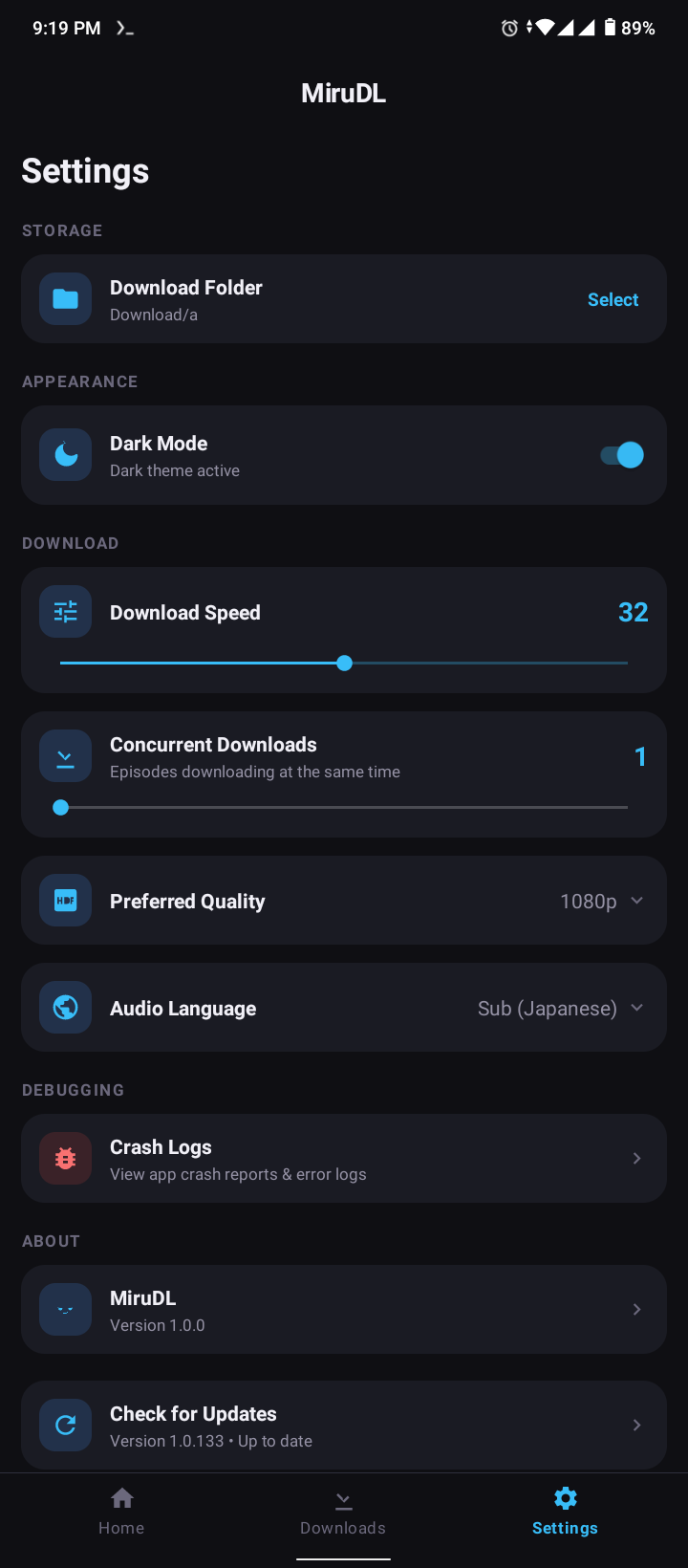
Customize download folder, speed, quality, and theme
Download
Free, lightweight, and works on Android 5.0 and above.
Latest release v2.3.2
Tell us in 30 seconds — reports go straight to our Telegram group.
Settings
Everything is tweakable. Nothing is overcomplicated.
Choose where your anime gets saved. Uses Android's Storage Access Framework.
Fine-tune speed from Slow to Very Fast. Perfect for managing bandwidth.
Set a default resolution (Auto, 360p, 480p, 720p, 1080p) for all downloads.
Choose Sub (Japanese) or Dub (English) as your default audio track.
Toggle between dark and light mode. Respects your system setting.